Front Panel Assembly and Turnkey HMI Solutions

Front Panel Assembly and Turnkey HMI Solutions

CSI Keyboards has over 35 years of experience specializing in the integration of the below technologies into complex user interface turnkey keypad assemblies which has made us the one stop shop for all HMI turnkey interface solutions and front panel input interface assemblies and modules that incorporate electronic components. Our broad product line and engineering expertise allows for us to design and manufacture fully integrated interface solutions at a lower cost and better flexibility for the customer. Customers all over the world rely on CSI Keyboards’ expertise to design, manufacture, and assemble the whole turnkey user interface.

Why turn to CSI to design and manufacture your front panel?

By providing the entire value-added assembly, CSI not only minimizes the amount of moving parts for our customers but also overall time and cost. It also allows our customers the ability to place one single purchase order under one single part number for the entire front panel interface. Our longstanding supplier relationships and over 35 years of manufacturing and assembly expertise provides increased control and lower costs for your company.

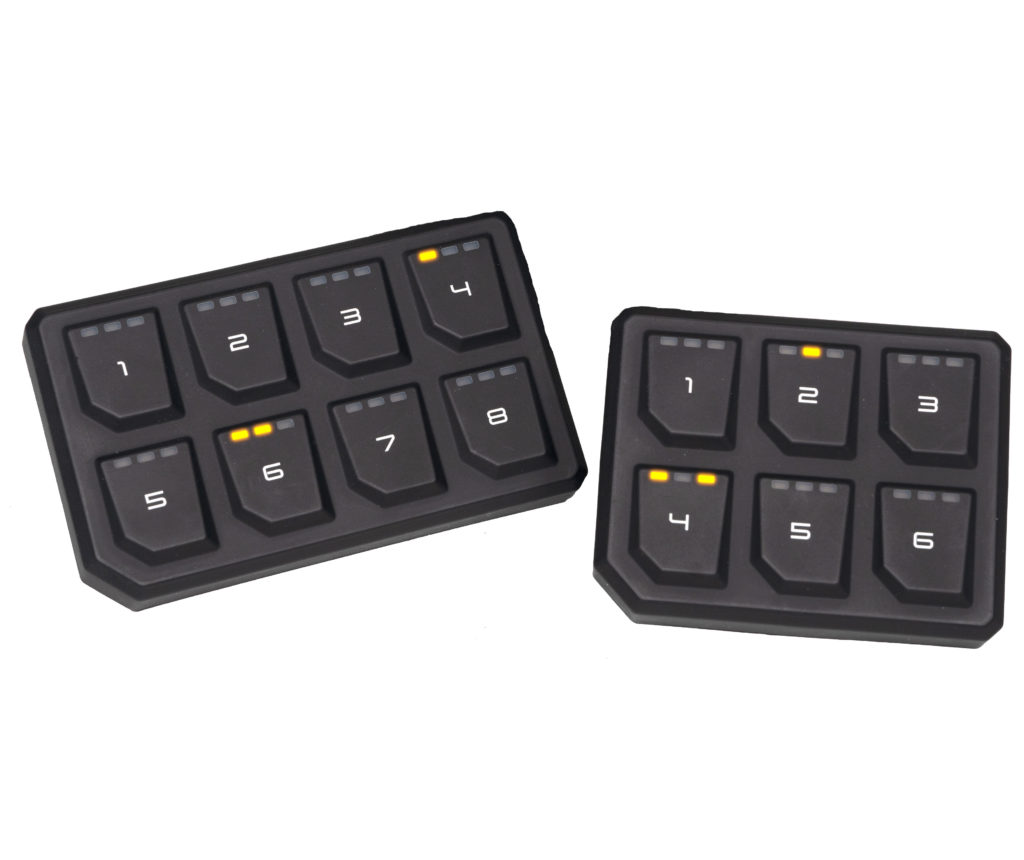
From membrane keypads and elastomer rubber assemblies, to touch screens and touch panels integrated with displays, CSI Keyboards specializes in designing and fully integrating a variety of components and customized parts into a complete custom turnkey keypad assembly and user interface for your company. We can take your concepts and bring your product to fruition providing you with the complete plug and play keypad package from one dependable and experienced source. 

Features of an HMI Assembly

Value-Added Membrane Switch Panel and Turnkey User Interface
Fully Loaded PCBs (printed circuit boards)
Integrated Touch Screens
Integrated Displays
Integrated Display Windows
Optical bonding and adhesive bonding for touch screen + display solutions
G10 Backers
Metal Backers
Flexible Circuits
Enclosures and Housings
Bezel Integration and Assembly
Connectors
Cable Assemblies
EMI / ESD / RFI Shielding
Barcode scanners

Integrated Touch Screen and Display Solutions

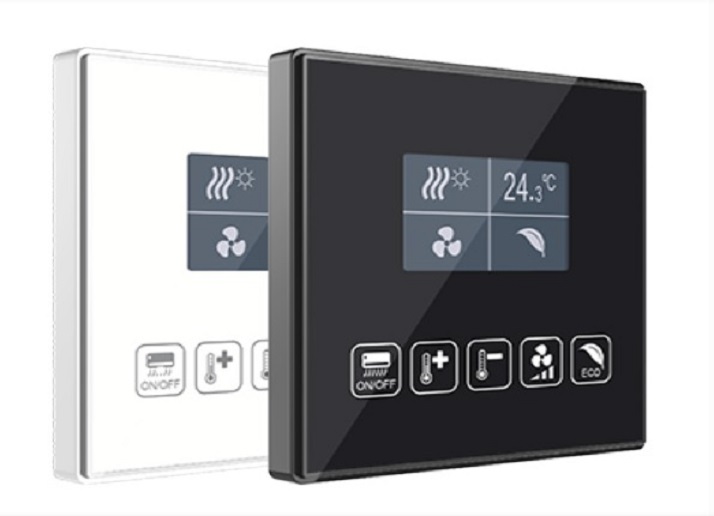
CSI Keyboards’ Integrated Touch Screen and Display Solutions are second to none, combining our many technologies and utilizing our interface expertise to meet your specific product requirements. CSI is able to provide a full all in one, turnkey touch screen assembly incorporating the touch panel, display, and controller integrated into a bezel, open-framed design, panel mount, or keypad. Using optical bonding or adhesive bonding, CSI Keyboards can provide a fully integrated touch screen + display solution to meet your medical requirements. Our touch screen solutions can then be integrated with a graphic overlay, membrane keypad, rubber switch, or bezel for a complete value added assembly. CSI interfaces are carefully designed and built to survive in any environment. Our touch screen solutions can be sealed to prevent moisture and contaminant ingress and are designed to withstand repeated use and chemical cleaning. Applications include medical, POS, industrial, kiosks, military, retail, gaming, office automation, transportation, and commercial.
Electrical Guide to Membrane Switches

Electrical Guide to Membrane Switches

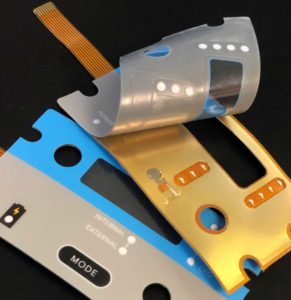
There are many critical aspects to consider when designing a membrane switch. The electrical portion of the keypad is one of these critical aspects. There are few considerations to consider when laying out the circuit including: the pin out sequence; tail length & position; multilayer circuitry; and use of LEDs. 

Connector Pin Out Sequence: 

CSI produces membrane switches with both row & column matrix, or common ground circuit layouts. Customers should consider allowing CSI to determine the pin out sequence if the sequence is not critical to the customer’s design. Allowing CSI to produce the pin out will result in a superior design including potentially lower cost, higher reliability, shorter lead time.

– Matrix:

A matrix layout is when the circuit is designed in a grid type format using and “X” (rows) and “Y”(columns) axis. The benefit of this layout is there are less tracks allowing for a larger number of connections which then reduces the number of pinouts and connector size. The drawback however is that there are multiple print layers required in order to produce the full circuit.

– Common Bus:

For a common bus layout on a membrane switch one common lead is used for all switch locations. A lead is used to “ground” the circuit. Each switch will have its own individual trace. The benefits of this layout is that only one layer of print is required to complete the circuit. The drawback to this design is it means there is an increase in the number of tracks, pinouts and connector size.

Tail Length & Exit Positioning: 

Membrane switches are typically connected to the customer’s printed circuit board by a flat cable or flex tail. The flexible tail is cut from the circuit layer(s) of the switch. The tail exit position and tail length must be specified before CSI can begin the design of the membrane switch. In volume production tail length, and exit position can substantially affect productions costs. CSI can suggest the best tail exit locations to ensure the most manufacturability is as economical possible. 

Multilayer Circuits: 

Multilayer membrane switches circuits can be designed as screen printed conductive inks on heat stabilized polyester (typically .005”), or with circuit boards. With screen printing technology, multiple circuit layers are created (if necessary to achieve needed trace routing) with dielectric insulating ink printed in areas where circuits cross over one another. With flexible or rigid printed circuit boards feed throughs are used to: create multiple circuit layers, as well as to produce two sided circuits.

LEDs:

Light emitting diodes or LED’s are typically assembled to a circuit layer that lies below the static layer that carries the key functionality due to vertical height issues and space constraints. The tail from the upper layer provides the key interface, while a second tail from the lower layer supplies power for the LED’s. In some cases CSI can include light emitting diodes and key functionality on the same layer, and through the same connector, thereby eliminating the cost of the second circuit layer, and connector.

The Importance of the Graphic Overlay in a Membrane Switch

The Importance of the Graphic Overlay in a Membrane Switch

A membrane switch is the interface that connects the user to a machine, device, or other types of equipment. It is the control panel, facilitating functionality and enabling the user to control the product.

The graphic overlay is one of the most important aspects of the membrane switch. The graphic overlay is the faceplate to the membrane switch and often the product itself. The graphic overlay defines a product’s identity and is the visual layout and design of the interface that determines how easy or difficult a device is for the average user to operate. 

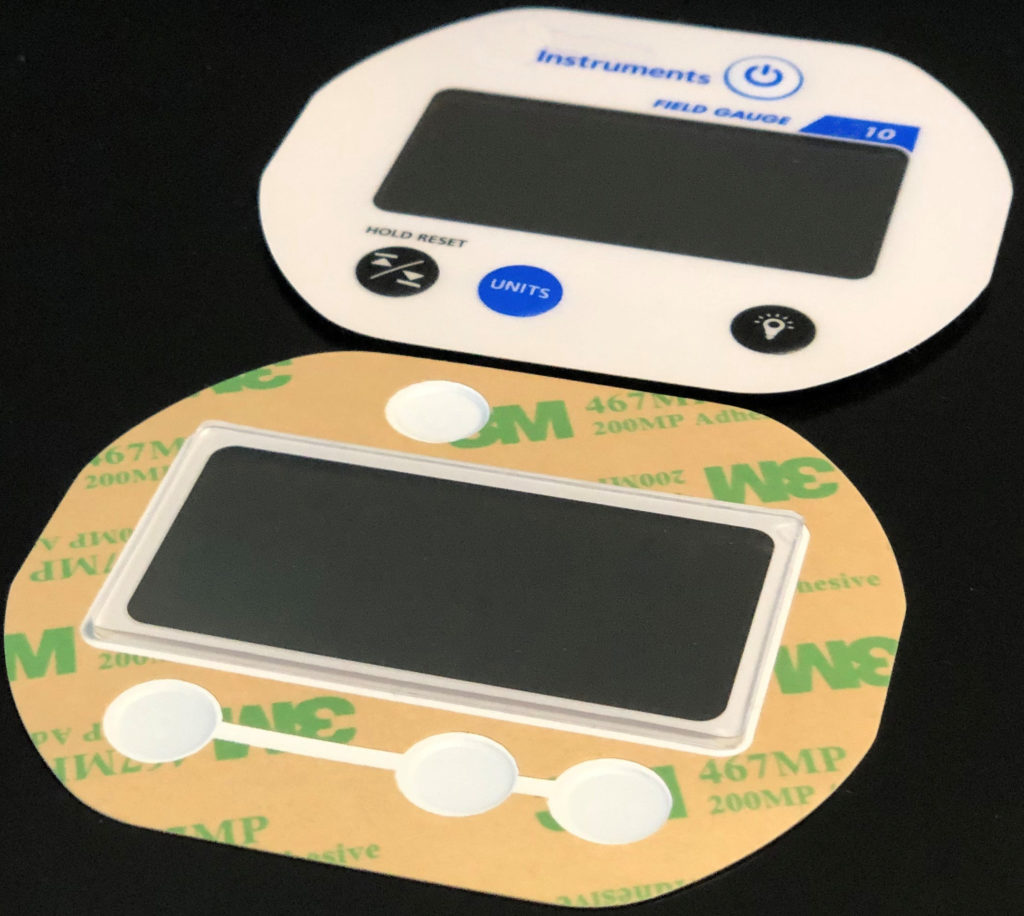
CSI Keyboards is in a class of its own when it comes to the design and production of high quality Graphic Overlays, Labels, and Nameplates. We have been manufacturing overlay products for a wide array of customers and industries for over 35 years. A graphic overlay not only enhances the aesthetic appearance of a product or device, but it can also provide environmental protection. A graphic overlay can also be applied to an assembly using discrete switches or laminated to a membrane or rubber switch depending on the design. CSI offers both silk screened and digitally printed overlays and labels in wide range of shapes, sizes, colors and finishes.  

Critical Features of the Graphic Overlay:

Environmental Conditions

You likely know what type of environment your product is going to end up in. Are there going to be some obvious environmental concerns? If so, it is critical that the right graphic overlay material is designed into your product, since different materials offer different environmental advantages.

Enhancing Usability

Usability is the ultimate goal of a user interface. The features of the graphic overlay can be used to enhance the overall usability of your product. By making the graphic overlay easier to feel, operate, and understand, raised buttons and embossed features can dramatically enhance its functionality. 

Building Your Brand

The visual impact of the graphic overlay cannot be underestimated. The graphic overlay is the faceplate to the membrane switch and often the product itself. The graphic overlay defines a product’s identity and is the visual layout and design of the interface that determines how easy or difficult a device is for the average user to operate. Based on our 35 plus years of experience, we can choose the ideal ink technologies and materials to deliver specialized textures, finishes, and colors. This allows you to create on-brand graphic treatments, powerful visual differentiation, and market-appropriate design cues. With specialized inks, we can match proprietary brand colors. With the right material, we can deliver the right texture and finish, from matte to high gloss. Add in transparent qualities and vibrant base colors, and you can start to see how may options you really have.

Digital printing gives us even more design freedom, in a very cost-effective way. With these technologies, we can reproduce photographs onto the graphic overlay, allowing you to specify any type of background pattern. Brushed aluminum or carbon fiber patterns for more sophisticated applications

Graphic Overlay Capabilities:

Surface Finishes:

  • Velvet
  • Gloss
  • Anti-reflective
  • Anti-microbial
 

Printing:

  • Screen printing 
  • Digital printing
 

Window Options:

  • Clear LCD or LED
  • ITO using optical clear lamination
  • Dead front
  • Smoked as well as translucent colors for backlighting
 

Embossing & Forming:

  • Finger guide, LED, braille, rim, pillow either as a standalone or combination of
  • Cold and hot embossing
  • Hydroforming
 

Cutting:

  • Laser traced steel rule dies
  • Tinplate high precision tools
  • Laser and CNC cutting

Polyester vs. Polycarbonate in Membrane Switches

Polyester vs. Polycarbonate in Membrane Switches

One of the most common questions asked when designing a membrane switch is: should I use polyester or polycarbonate material? There was a time when polycarbonate was the standard for membrane switches, but that has certainly changed over the years. Polyester has since become the industry standard and is what CSI recommends for the majority of our designs. 

Circuit Layers: For the membrane switch circuit layers, polyester is always used as it works best with the higher temperatures that are required for conductive printing. Polyester can be heat stabilized so that it can withstand the any potential for shrinkage during processing.

Graphic Overlay: The choice between polyester and polycarbonate really appears when designing the graphic layer. Embossing the keys gives a better user experience and a nicer look, this is where polyester shines and many think this is the biggest advantage that it has over polycarbonate. Embossing will stress any material (polyester or polycarbonate), affecting it’s life, but polyester can handle this much better than polycarbonate. In fact, it is not recommended to emboss polycarbonate as it can lead to cracking, reduced life, and even failure.

Durability and Chemical & UV Resistance: Polyester also has a greater resistance to chemical and UV exposure. This is critical for any membrane switch that is used in an outdoor or other harsh environment.

Dielectric Resistance: Both polyester and polycarbonate have good dielectric resistance but polyester is typically slightly better.

Preventing Membrane Switch Failures

Preventing Membrane Switch Failures

A lot of time and effort go into designing and manufacturing membrane switches, so it can be such a shame if the final product is not properly handled or assembled upon completion. Typically, the number one cause of keypad failures is in fact improper handling or assembly. 

Here are a few quick prevention tips to help you avoid damaging your membrane switches:

1. Key Pressing: Do not press the domes or keys in the air or unsupported as this will result in dome damage (such as bent domes). If a key feels “dead” or “flat”, it’s usually due to a bent and damaged dome. Ensure the membrane switch is on a flat and rigid surface when pressing any of the keys. 

2. Bending or Flexing: Never bend or overly flex a membrane switch. Bending the switch can damage critical components on the circuit such as domes, LEDs, etc.

3. Creasing Circuit Tails: Avoid creasing a printed silver circuit tail. The creasing of a silver flexible circuit will most assuredly cause the silver ink to crack. Copper flex circuity is more forgiving and allows for creasing, more on that here.

4. Keypad Surface: Ensure that the surface (the keypad is being applied to) is clean and debris-free prior to membrane switch application. It’s always great assembly practice to clean the surface with isopopyl alcohol prior to adhering the membrane switch to your assembly.

Membrane Switch Copper Flex Circuitry

What Are Discrete LEDs and How Are They Utilized?

What Are Discrete LEDs and How Are They Utilized?

Discrete LEDs are surface mounted LEDs that are typically either lit individually or together to illuminate a small area. They are ideal for lighting small icons and indicators. They are popular in many user interface designs due to their low cost and thin construction.

However, there are situations when discrete LEDs are not suitable for an application or design. The biggest issue is that they can create hotspots (bright areas) over or near the LED. As a result, they aren’t ideal when lighting larger areas because the backlighting is often inconsistent with some areas brighter than others. 

There are a couple of ways to avoid hotspots in your design. The first way is through the use of an elastomeric or silicone rubber faceplate overlay (versus polyester/polycarbonate). Elastomer is a great conductor of light and therefore allow for excellent light dispersion across a large area using discrete LEDs. 

If you prefer to use a polyester or polycarbonate overlay, CSI could also utilize side firing LEDs and light guide film to backlight a larger area. Other options are fiber optic technologies, or EL panels.

How are Membrane Switches and HMIs Tested?

How are Membrane Switches and HMIs Tested?

Testing the membrane switches or HMIs after they are assembled and before they ship is a critical step in our process. CSI Keyboards’ in-house testing capabilities are some of the most comprehensive in the user interface industry. We have custom design testing programs that are programmed to your specifications, saving valuable time in the development process while maintaining product quality and consistency.

Custom Electrical Circuit Testing

To ensure proper functionality of printed electronics, CSI  has developed custom electrical circuit testers. The testers can be used to measure and test membrane switches, printed circuit and other printed electronics. Every key, LED, and component of the membrane switch is tested before it is carefully packaged and shipped out the door. CSI offers circuit testing on 100% of our printed electronics components. 

Vision System Testing

CSI Keyboards is equipped with a variety of custom design vision systems for part inspection. The systems utilize specialized vision tools for measurement and visual defect inspection, which enables CSI to ensure the conformity of various manufactured parts.

CSI utilizes in-house tools and machinery for mechanical coordinate measuring to take precise and exact measurements. Measurements are checked carefully to ensure parts are built per specifications. 

Optical Bonding in Membrane Switches and User Interfaces

Optical Bonding in Membrane Switches and User Interfaces

The type of bonding technology you choose for your membrane switch or HMI are all dependent on the design and product requirements. There are three typical bonding methodologies: liquid optically clear adhesive (LOCA), optically clear adhesive (OCA), and air gap bonding. CSI will work closely with you in the early stages of the product development to offer a custom designed solution to fit your exact requirements. 

Opti Bonded Membrane Switch

Bonding Options:

Liquid Optically Clear Adhesive (LOCA)

The air gap between the display surface and the rear side of the sensor is filled with a UV liquid adhesive. The adhesive is silicone-free, non-aging and UV stable. The method is typically suitable for TFT displays with frames.

The liquid adhesive is applied over the cover glass and then bonded to the touch panel or TFT panel. The adhesive is spread evenly and bubble-free between the two components. The adhesive is cured without heat using UV light. This prevents.

LOCA offers the most robust and best overall performance of any bonding technology.  Handheld devices such as tablets and laptops have led the way using LOCA in display integration. Other industries such as agriculture, military and avionics have incorporated LOCA because of its durability. 

Optically Clear Adhesive (OCA)

This is a lamination process with optically clear adhesive (OCA). A lamination from “soft to hard” takes place, e.g. a film-based sensor (ITO / mesh) behind the cover-lense. With the help of storage in an autoclave, the air bubbles are eliminated.

OCA is commonly used on touchscreens, LCD flat panel displays, transparent graphic overlays and other devices requiring an optically clear bond.  OCA’s thin, consistent thickness makes it an ideal choice for flexible to rigid bonding and tight tolerance bonding situations.  OCA is classified as a dry film, pressure sensitive adhesive and there are different versions depending on the application and substrate to which it will be applied.

Air Gap

In this process, the display is glued with an adhesive frame directly behind the sensor or on the printing of the cover-lense in a clean room. An air gap between the display and the sensor and cover-lense remains. Air bonding is both a simple and cost-effective way to integrate displays with cover-lenses or touch sensors. Depending on the application, the assembly takes place with single adhesive strips or with a closed adhesive frame. Both economical and lightweight, an air gap display construction is a popular option for personal handheld electronics such as smartphones. The layers are integrated with a gasket leaving behind a small air gap. 

Laser Etching and How it’s Used to Backlight Rubber Keypads

Laser Etching and How it's Used to Backlight Rubber Keypads

When a rubber keypad or rubber membrane switch calls for backlighting, you may often hear the term “laser etching” being used. Laser etching refers to a process in which a high powered laser is utilized to remove a layer or layers of paint on a keypad. 

A standard rubber keypad is simply printed to add graphics or nomenclature. This method will suffice as long as the keypad is not backlit. It’s a cheap and easy way to create letters, numbers, and special characters on keys, making it the preferred choice among many companies. But in order to backlight molded rubber, the rubber must be laser etched: which is a newer, more advanced method for producing backlit nomenclature, graphics, indicators, etc.

The molded rubber typically starts off as a translucent, milky-like color and is then painted with opaque colors designed into the part. The rubber is then laser etched down to the translucent layer(s) of the keypad that will eventually be backlit with LEDs. The laser is carefully guided across the surface of the key, burning away paint in select areas. After the paint has been removed, it reveals the translucent layer below. The result is a contrasting translucent and opaque color, making the backlit areas pop with a higher level of crispness, brightness and visibility.

Laser etched keypads are extremely rugged and durable. The combination of molded light blocks inside the part and the laser etched nomenclature on the faceplate make for an unmatched backlit keypad.

What is a Capacitive Switch?

What is a Capacitive Switch?

As touch screen solutions have become more prevalent especially with the use of smartphones, capacitive switches have also become a very popular interface solution. A capacitive switch is a type of touch controlled electrical switch that operates by measuring change in capacitance. It works in the same way as a smartphone with a capacitive touch screen. Essentially, a small electrical charge is transferred from your body to the switch when the surface is touched, which  causes a change in capacitance. The switch detects the change in capacitance and responds with the appropriate command.

Upon touching a capacitive switch, this electrical charge disturbs the switch’s own electrical charge; thus, causing a change in capacitance. Because of this change, the switch can identify when and where the touch occurred.

Capacitive Switch Construction:

A capacitive switch consists of three main layers, the graphic overlay, the circuit, and the backer:

  • The overlay consists of the graphic artwork and can also include windows, embossing, coatings, adhesives, and selective texturing.
  • The circuit switch will either be a Flexible Printed Circuit or a Printed Circuit Board.
  • The backer is the final part of the capacitive switch, and may or may not include an adhesive that must bond to your specific substrate. The most common materials used for overlays are plastic, acrylic, and glass due to their durability and versatility. 
 

Benefits of Using Capacitive Switches:

  • Easy to clean
  • Backlighting capabilities
  • Highly decorative solutions
  • Cost effective
  • Integration of displays