ZIF Connectors on Membrane Switches: What Are They, What Do They Do?

ZIF Connectors on Membrane Switches: What are They & What do They do?

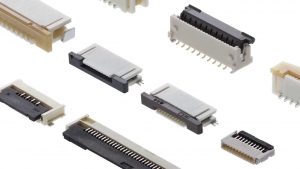
ZIF connectors have no physical connector on your membrane switch and rely on a receptacle connector that is available from numerous manufacturers. It is important to choose a ZIF connector that is suggested for membrane switches and to keep in mind that smaller pitches are available in polyimide flexible printed circuits only.

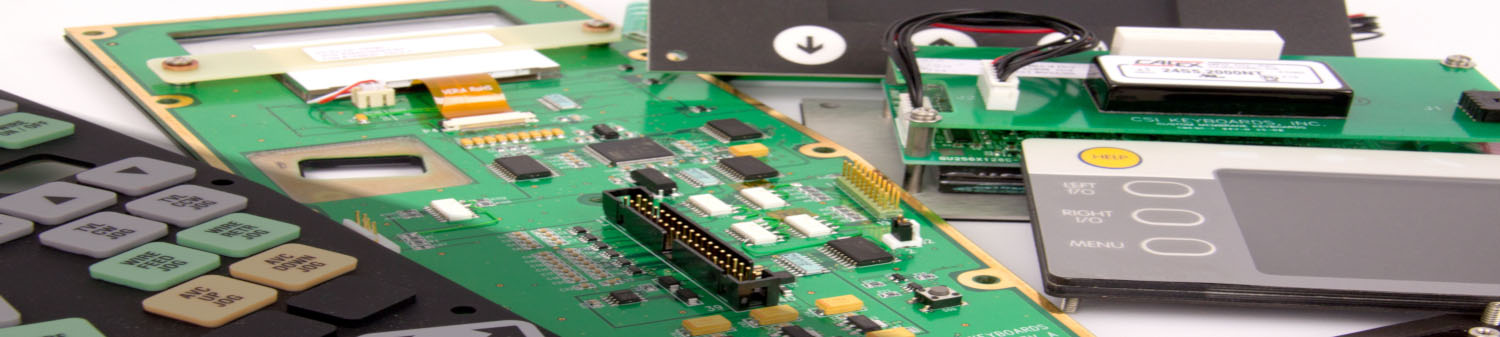
ZIF connectors are increasingly common in several applications, especially when connecting to a small display or keyboard. ZIF connectors meet a range of requirements including low profile, lightweight, secure, and removable connections. ZIF connectors are appropriate for more complex applications and allow for higher levels of integration. For ZIF connections, the connector system is not on the membrane tail, but on the PCB. The tail of the circuit is inserted into the ZIF connector to create the contact, and a stiffener is laminated under the tail to ensure stability and maintenance of the electrical contact. ZIF connectors may have anywhere from 2 to 30 positions on a single row, and distances of between 1mm and 2.54 mm are available.

Keep in mind that ZIF connections degrade with insertions, so the maximum number of insertions should not exceed 10 cycles. It’s also important to remember to take care when placing the tail die but in relation to the printed traces, since resistance in the circuit may increase in spacing of less than 1mm where the circuit traces are thinner.

Key Flex Circuit Terms That You Should Know

Key Flex Circuit Terms That You Should Know

CSI Keyboards uses copper flex circuitry in the majority of our custom keypad designs due to its excellent dielectric strength, thermal stability, chemical resistance and flexibility. Copper flex, also known as Kapton circuits, have become the superior choice over printed silver especially for outdoor applications. A printed silver circuit can be replaced with a copper and polyimide construction with minimal additional cost. Copper flex circuitry construction designs offer a significant advantage over printed silver. 

Below are some key flex circuit terms that you should know:

Access Hole – A series of holes in successive layers of a multilayer board, each set having their centers on the same axis. These holes provide access to the surface of the land on one of the layers of the board.

Additive Process – A process for obtaining conductive patterns by the selective deposition of conductive material on clad or unclad base material.

Annular Ring – The ring of exposed solder or copper around a through hole.

Buried Via – A plated through hole buried within internal layers of a circuit. There is no direct access to the via.

Blind Via – A plated interconnection from one layer to an adjacent layer through a fixed depth LASER drilled opening.

Cantilevered Leads – Unsupported conductors extending from an edge of a flex circuit.

Circuit – A number of electrical elements and devices that have been interconnected to perform a desired electrical function.

Coverlayer – Insulating layer usually bonded with adhesive.

Dielectric – A material with a high resistance to the flow of direct current, and which is capable of being polarized by an electrical field.

Flexible Printed Circuit – A patterned arrangement of printed circuitry and components that utilizes flexible base material with or without flexible coverlay.

Land – A portion of a conductive pattern usually used for the connection and/or attachment of components.

LCP – Liquid Crystalline Polymer, a relatively new dielectric substrate used in the manufacture of flex circuits.

Micron – A linear dimension equal to 1 x 10⁻⁶ meters or 39.4 x 10⁻⁶ inches.

Photo Etching – The chemical, or chemical and electrolytic, removal of unwanted portions of conductive or resistive material.

Phototool – A phototool is a physical film which contains the pattern that is used to produce a circuitry image on a photo-sensitive material by way of exposure to light-energy such as UV light.

Polyimide – The synthetic polymer that has more than two imide radicals in the main chain.

PTH – Plated through hole. Used as a means of creating an electrical connection from one circuit layer to another.

SMT – Surface Mount Technology

Steel Rule Die – A tool used to cut flex circuits (and other materials) from a panel.

Stiffener – A rigid or semi-rigid material that is bonded to a flex to facilitate component attachment. Typically made of polyimide or epoxy glass.

Via – A plated-through hole that is used as an interlayer connection, but in which there is no intention to insert a component lead or other reinforcing material.

Windowed Leads – Conductors that are unsupported by insulation. Typically running across a window, the pitch can be quite tight allowing high density mass termination.

ZIF (Zero Insertion Force) Termination – A style of termination that allows a flex circuit tail or tab to be inserted into a circuit board mounted connector. After insertion a mechanical actuator locks the flex in place.

Intro to Compression Molding Silicone for Rubber Keypads

Intro to Compression Molding Silicone for Rubber Keypads

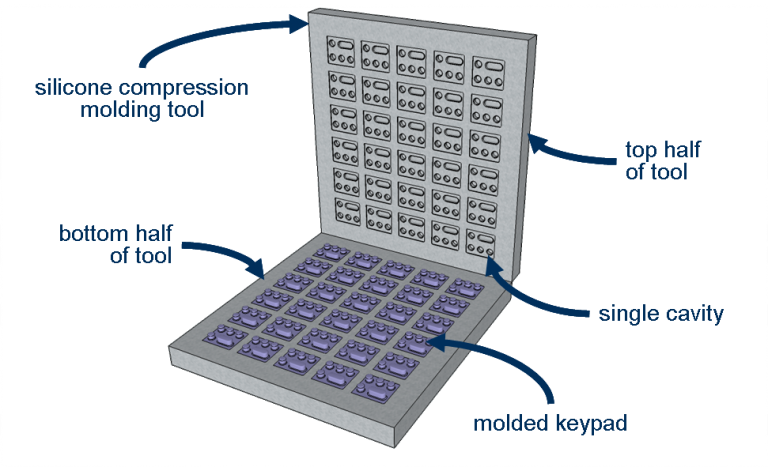
Rubber keypads are made using compression mold tooling. Compression molds have a bottom tool and a top tool (think of a waffle iron). First, the mixed raw silicone material is cut into precise cut slabs. The material is then laid into the mold set. Pressure, heat and time are used to transform the material to the shape of the cavity. The parts are removed from the tool, flash is hand torn and then the parts are post-cured to remove any residual catalyst material.

Material Set-Up

The mixed and pigmented raw silicone material must be carefully placed in the mold to ensure that enough material fills the cavity, and not too much material prevents the mold from overflowing. This is achieved by rolling the raw material to a specific thickness and width. Next an automated machine pulls and cuts the material into equal sizes. The cut pieces are weighed to ensure that their volume will correctly fill the cavity.

Vulcanization

The cut pieces are laid into a pre-heated mold, and the mold is closed. Alternative molding methods requires a different process. Typical cycle time for silicone keypads is about 5-10 minutes – which is much longer than typical plastic molding. Multiple cavities are used to increase output (having 140 cavities is not uncommon). Inside the tool, heat and time transforms the silicone mixture. First the raw silicone liquefies, filling the cavity. Next the material hardens in what is called the vulcanization process. Here the molecules of the material cross-link, permanently transforming the part into its finished shape. After vulcanization, it is not possible to revert back to the original silicone material.

Flash

Because the raw material liquifies, and must fill the entire cavity, the mold is design with overflow channels, which is why there is flash. All regions where the top of the tool meets the bottom, there will be flash. This includes the perimeter and any opening. The flash is easily removed by hand. Note that on all parts, there will always be a flash line with a small amount of silicone flash (less than 0.3mm) remaining.

Post Curing

Some residual catalyst material from the raw silicone may not have fully vulcanized and can remain in the part. Over time, this residual will leach out, depositing on the electrical contacts and potentially affecting keypad function. To prevent the post-cures keypads after they are molded. During post curing, the parts are placed in an oven to heat and evaporate any non-vulcanized catalyst. 

Modifying Tools

Because of flashing, it is highly difficult to add inserts in compression tools. It is far easier to simply remove steel from the tool.For this reasons the initial design of the part must be made with careful considerations to tool modifications. Existing molds can have steel cut away (adding material to the part), but steel shouldn’t be added to the tool (remove material from the part). In the latter case, a new bottom and/or top half of the tool must typically be machined.

Pantone Color Matching for Graphic Overlays

Pantone Color Matching for Graphic Overlays

What is the Pantone Color Matching System?

The Pantone Color Matching System or PMS is a common industry standard for color reproduction. It is regularly used in graphic overlays design, publishing, and printing companies. Instead of asking for just the color “green”, Pantone can give you the exact shade of green and allow you to communicate that red to others in a standardized, no-nonsense, uncomplicated, communicative way.

Why is the Pantone Color Matching System used?

Pantone Color Matching System is used to help clearly communicate specific and standardized colors and prevent confusion or a problem with manufacturing and printing. It allows special colors to be used and produced from metallics to fluorescents. PMS allows businesses and customers to reference and match colors no matter the media: ink or online. It allows a consistency and uniform base that will not cause a mix up in the final product.

How does PMS Work?

There are several different ways of using PMS, one of which is called the CMYK process which only uses four primary colors: cyan, magenta, yellow and black. You may recognize this as the colors that are used in your printer at home. Guidelines are used to provide the correct cyan, magenta, yellow and black colors – since there are several “versions” and shades. These colors are then mixed in specific amounts to create other colors that are calculated and communicated through the amount of each of the four colors distributes. There are, however, several colors that cannot be created with this process and instead uses 14 colors that are mixed in specific amounts. Pantone colors are given a specific number and that number is then communicated to produce a consistently based color among media.

What kinds of PMS tools are available?

The Pantone Formula guide is a three-guide set of 1,114 solid Pantone specified colors that come in coated, un-coated and matte coated. There are several different books, each for a different industry but each is similar in that it shows the corresponding formula for each color.

There are “chip” books that can be used for quality control. Manufacturers use these chips in order to make sure that the color on the product matches with the chip chosen so that the end product is exactly what the customer asked for. Pantone also provides chips and guides that have colors produced by the four-color process. There are also other color reference guides that include metallics, pastels, tints, duotones, film and foil. There are also online Pantone guides which can be used to reference colors on a computer or design program. Caution should be used when viewing and choosing colors on a computer screen, as each monitor has a different color output, and most are not calibrated for consistency.

What affects the accuracy of PMS?

The three main things that effect the accuracy of PMS is lighting, colors sent via computers and the material of the surface the ink will be printed on. It is best to color match under a controlled daylight viewing for a more accurate reading. In order to make a final decision on the color, it is also a good idea to look at the color under different kinds of light/in different lighting such as natural, fluorescent, UV, and incandescent. This is typically done with a Color Viewing Booth.

Computers may not show you the correct color because each computer screen is different. Your computer may have a higher or lower contrast than that of the customer’s, and most monitors are not calibrated to the same standard output.

Different materials can cause different results when using the same color on them. Each can react differently based on absorption and finish with the colored ink. Some surfaces absorb the ink more than others and will therefore give the color either a glossier or more subdued appearance. Because of this, it is important to note that different finishes on overall products and using the same color, will look different and many times not match well. This can sometimes be controlled by using different coating methods and techniques, however, to get the right look that the customer is looking for. Consideration must be taken towards the materials and finishes being used in combination with all colors of a product.

How is the Pantone Color Matching System used at CSI Keyboards?

There are many other color matching systems out there besides Pantone: Munsell, RAL and Federal Standard Color System. CSI typically uses the Pantone Color Matching System in order to consistently control products for our customers exactly the way they want them. We use it as a common reference to clearly communicate with our customers without the problem of inconsistent colors. As screen printers, CSI finds the Pantone Color Matching System one of the crucial tools we use as it provides us with a standard that our printers can live by and we have found it to be reliable throughout our years of service.

What Types of Components can be Integrated into a User Interface?

What Types of Components can be Integrated into a User Interface?

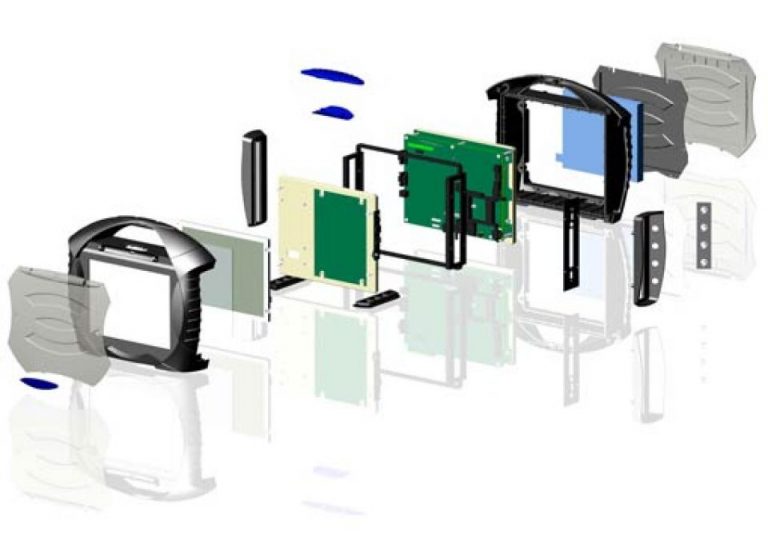
Designing a user interface or HMI assembly can be overwhelming and time consuming. That’s why CSI Keyboards has become the one stop shop for human machine interface (HMI) and front panel interface assemblies. CSI Keyboards has over 35 years of experience specializing in the integration of the below technologies into complex user interface turnkey keypad assemblies. Our broad product line and engineering expertise allows for us to design and manufacture fully integrated interface solutions at a lower cost and better flexibility for the customer. Customers all over the world rely on CSI Keyboards’ expertise to design, manufacture, and assemble the whole turnkey user interface.

From membrane switches and elastomer rubber keypad assemblies, to touch screens and touch panels integrated with displays, CSI Keyboards specializes in designing and fully integrating a variety of components and customized parts into a complete custom turnkey keypad assembly and user interface for your company. We can take your concepts and bring your product to fruition providing you with the complete plug and play keypad package from one dependable and experienced source. 

Benefits of a Full Turnkey HMI Assembly

  1. Minimizes the amount of moving parts for our customers but also overall time and cost.
  2. Allows our customers the ability to place one single purchase order under one single part number for the entire interface.
  3. Saves our customers endless engineering hours by leaning on CSI’s engineering expertise.
  4. Our longstanding supplier relationships and over 35 years of manufacturing and assembly expertise provides increased control and lower costs for your company.

So What Can Actually be Integrated into my HMI?

The following is a list of some of the components and electronics that we’ve integrated into some of our HMI and User Interface Assemblies:

  • Value-Added Membrane Switch Panel and Turnkey User Interface
  • Fully Loaded PCBs (printed circuit boards)
  • Integrated Touch Screens
  • Integrated Displays
  • Integrated Display Windows
  • Optical bonding and adhesive bonding for touch screen + display solutions
  • G10 Backers
  • Metal Backers
  • Flexible Circuits
  • Enclosures and Housings
  • Bezel Integration and Assembly
  • Connectors
  • Cable Assemblies
  • EMI / ESD / RFI Shielding
  • Barcode scanners

How to Choose the Right Dome for a Membrane Switch

How to Choose the Right Dome for a Membrane Switch

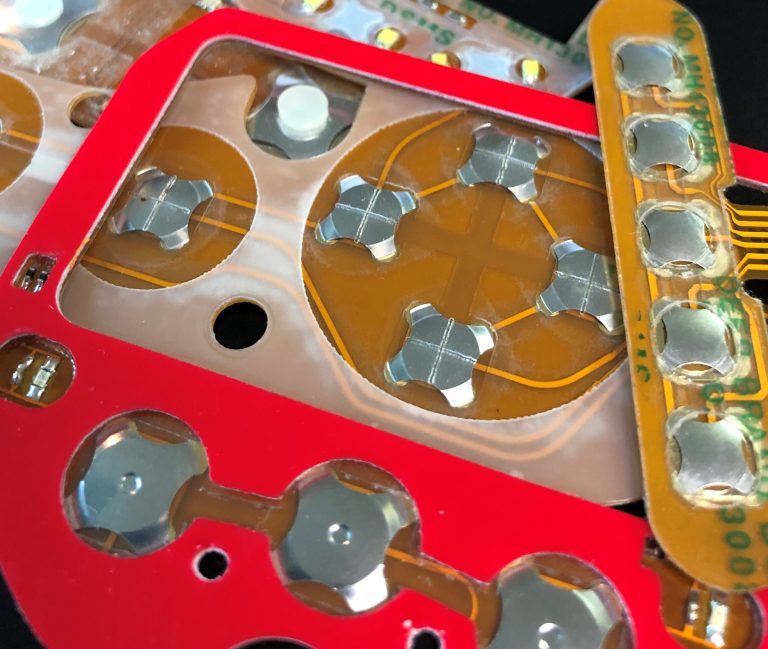
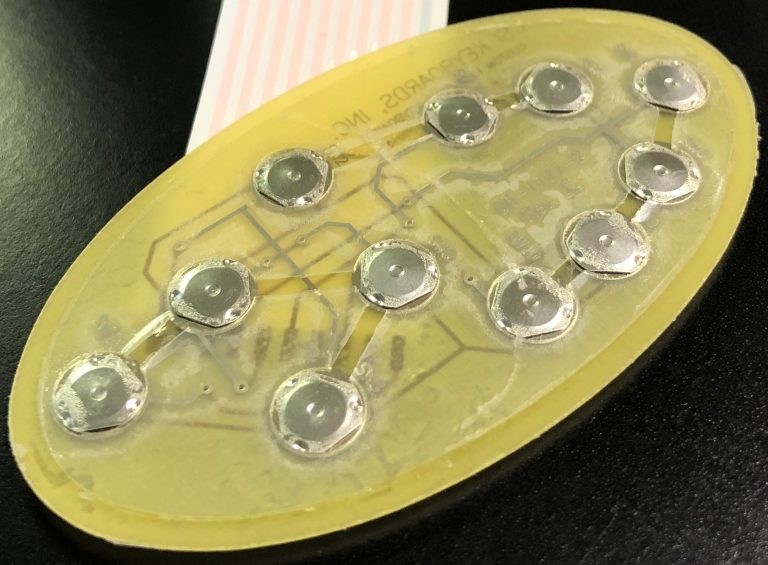
Choosing the “right” dome for a membrane switch may seem daunting, but rest assured, it is more straightforward than you might initially think. Firstly, what are metal domes? Metal domes are used in membrane switches and keypads to enable and facilitate the electrical connection from the keypad to the product itself. Or in other words, how the user of a device initiates a specific electrical function on the product. 

Electrical switches are necessary in almost every HMI (human-machine interface) device or product. No membrane switch is the same and all are used in a unique environment, therefore it is critical that the most suitable dome is chosen for the specific application and environment. For instance, if the product is used in an industrial setting and the user will be wearing gloves: a dome larger in size with a higher force & stronger tactile feedback would be ideal. Or if the membrane switch will be used in a nursing home setting and the user will typically be older in age: a dome with a lighter force (easier to press) would be best suited.

Our CSI engineers will work closely with you in deciding which dome is best for your application. We understand that the tactile feel of a key is very subjective, so typically will mock up multiple sample keypads with different dome options in the prototype stage of the design. This allows our customers to make a decision through a more “hands-on” approach. It’s also important to understand that the dome happens to be one of the easiest components of the membrane switch design to change-out & replace throughout the design cycle and even after the keypad is in production (ie so you are never stuck with a specific dome).

Dome Characteristics & Options:

Size: 

Measured in diameter and height of the dome. The size of the keys on the membrane switch will ultimately determine the size of the dome required for the application. Domes sizes range from 6mm up to 20mm. Height is dependent on size and ranges from .25mm up to 1.45mm.

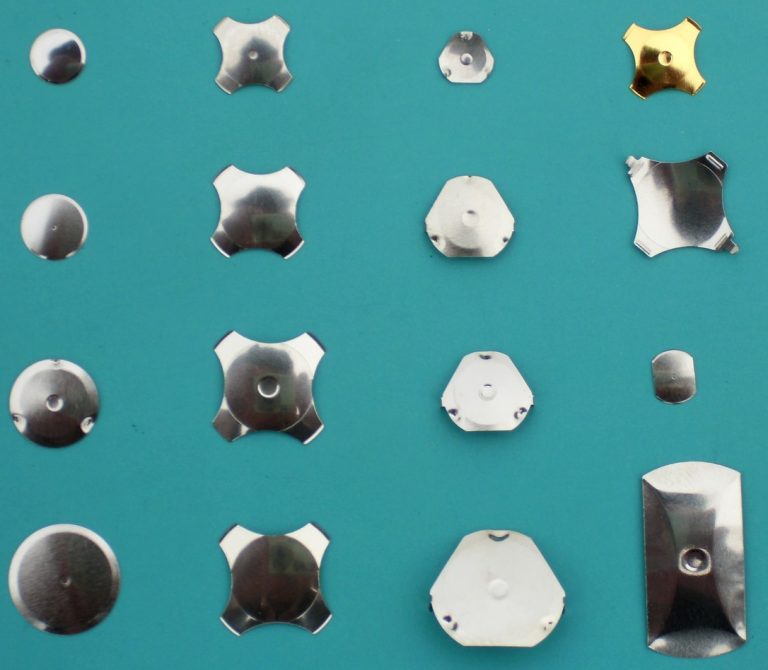
Shape:

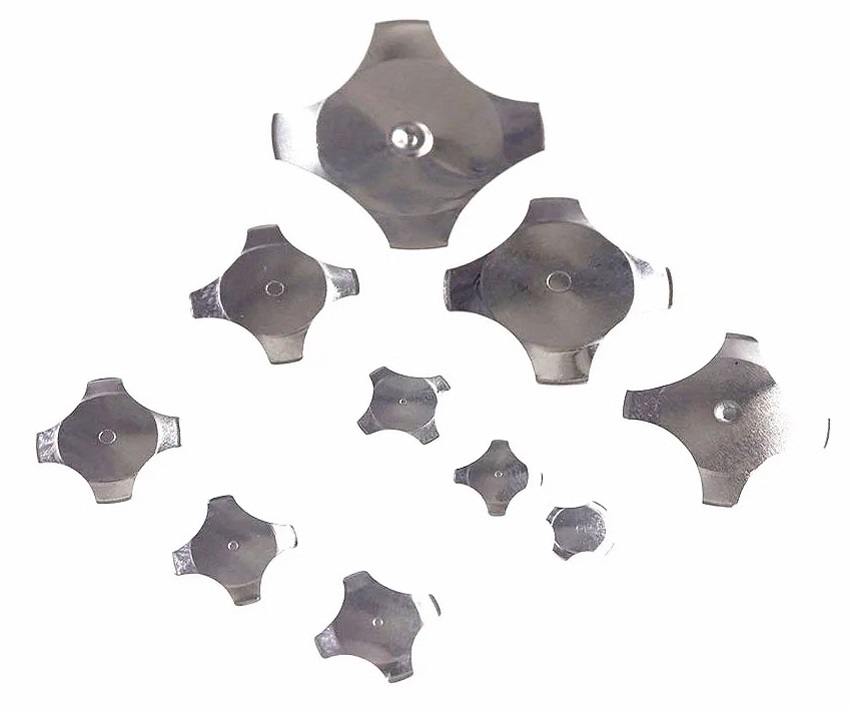
  • Four legged
  • Triangle
  • Round 
  • Oblong
  • Custom
 

Actuation Force: 

The actuation force is one of the most critical characteristics when choosing a dome. Actuation or trip force is the minimum force needed to depress the dome and is measured in grams. Actuation forces range from 40g up to 2250g. 

Lifecycles: 

Domes have come a long way since their inception. Originally, domes were only rated for thousands of cycles. The standard for domes is now at least one million cycles, with specialized domes rated for at least five million cycles. No matter the application, there is a dome that can meet your lifecycle requirements.

Dimple or Non-Dimpled: 

Looking at a variety of domes for different applications, users may notice a little dimple located in the center of the dome (see pictures to the right). The dimple is a small concave feature located on top of the dome, and can be as deep as 0.2 mm (0.008 in.). The purpose of the dimple is to provide better electrical characteristics and to reduce contact bounce..

Choosing the Best Materials for a Membrane Switch Design

Choosing the Best Materials for a Membrane Switch Design

Designing a membrane switch can be a daunting task at times especially when it comes to choosing the best materials for your membrane switch design. There are many different  materials to consider when designing the keypad. Below you will find some of the standard materials and components CSI typically uses in our membrane switch designs.

Polyester


  • The material of choice for membrane keypad overlays due to its superior flex life and chemical resistance

  • Most common thicknesses are .006”, .007”, .008” and .010”

  • Certain films are suitable for outdoor use with UV inhibitors for resistance to the UV effects of sunlight.

  • Available with built-in Microban antimicrobial protection that inhibits growth of bacterial, mold & mildew.

  • Also available in brushed finish to simulate the look of brushed metal

  • Special “soft touch” surface finish available to mimic the feel of silicone rubber


Polyester Products

Polycarbonate

  • Ideal for standalone display windows, overlays without keypads as well as bezel overlays for rubber keypads

  • Available in textured, antiglare and glossy finishes

  • Certain films are suitable for outdoor use with UV inhibitors for resistance to the UV effects of sunlight.

  • Available in an anti-fog coating

  • Available in thickness ranges from .005” to .030”


Polycarbonate Products

Adhesives

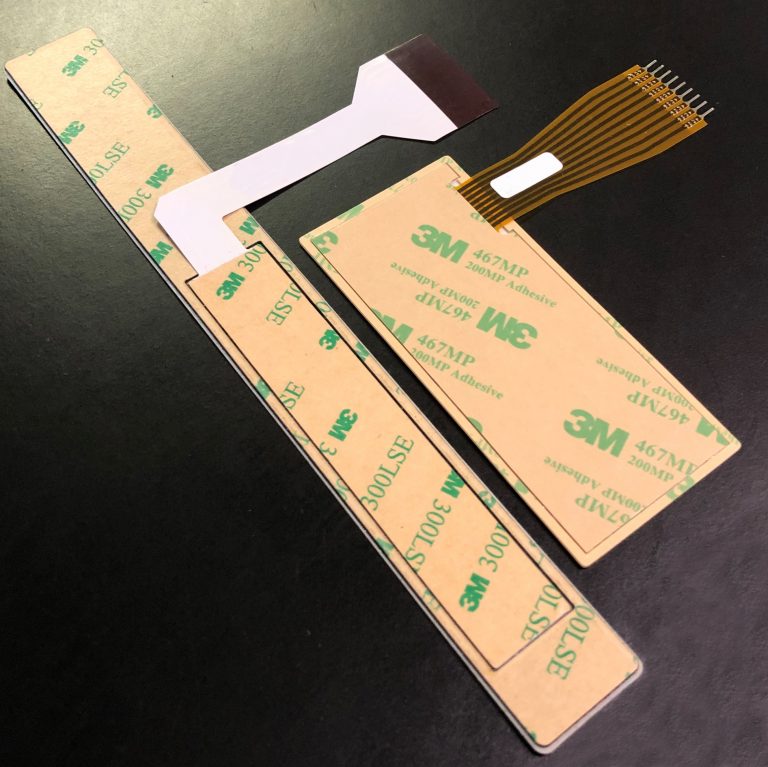
3M 200MP High Performance Adhesives

  • Suitable for high surface energy materials such as aluminum, steel, polycarbonate, ABS, nylon, etc.

  • Widely used in the membrane switch applications

  • Available in thicknesses of .002” and .005”. For adhesion to textured surfaces the .005” thickness is recommended.

  • Service temperature range of -31°F to +300°F for prolonged periods and +400°F for short periods.

  • Excellent environmental, temperature, chemical and humidity resistance


3M 300LSE High Strength Adhesives

  • Ideal for adhesion to low surface energy plastics such as powder coated paint and polypropylene

  • Available I nthicknesses of .002”, .0035”, and .005”. For adhesion to textured surfaces the .005” thickness is recommended.

  • Service temperature range of -40°F to +200°F for prolonged periods and +300°F for short periods.

  • Excellent environmental, temperature, chemical and humidity resistance.

Membrane Switch Components
 
 Connector Pins
 
Connector Housings (used in conjunction with Pins)
 
Metal Domes
 
LEDs
 
Support Panel Fasteners
 
Fiber Optic Lamps

What Does Quality Mean to CSI Keyboards?

What Does Quality Mean to CSI Keyboards?

CSI Keyboards’ Quality Department has developed a quality structure to drive continuous improvement. CSI continuously strives to improve our quality across all facets of our business, including and not limited to: design and engineering, sales and customer service, throughput, and manufacturing.

Each employee at CSI Keyboards is committed to doing whatever it takes to produce the highest quality products delivered on-time. As a global leading keypad manufacturer, CSI employees takes an active role in ensuring that the parts we design, manufacture, assemble and produce are of the highest quality. Testing is a crucial part of our manufacturing process, hence all of our products are tested 100% both electrically and cosmetically before they are carefully packaged and shipped to our customers.

ISO 9001: 2015 Certified

As our further commitment to quality, CSI Keyboards, Inc. is ISO 9001: 2015 certified. ISO 9000 is a series of quality management systems standards created by the International Organization for Standardization (ISO), a federation of 162 member countries based in Geneva, Switzerland. The American National Standards Institute (ANSI) is the member body representing the United States. ISO 9001:2015 is a comprehensive Standard in the ISO series, covering design, manufacturing and, most importantly, customer focus. The ISO 9001: 2015 certification is a testament to CSI Keyboards’ continued commitment to quality and service in the design and manufacturing of membrane keypads and user interfaces.

Things to Consider When Designing a Membrane Switch

Things to Consider When Designing a Membrane Switch

Designing a membrane switch can be overwhelming at times. There are many different design choices, materials, and other considerations to think about when designing the keypad. For these reasons, CSI typically recommends creating prototypes before entering production. Prototypes allow our customers to have working samples that they’re able to test the look, feel, and functionality. 

Below you will find some important design items to consider during the membrane switch design phase.

Membrane Switch Materials

From molded rubber keypads to standard polyester overlay membrane switches, there are a variety of materials and substrates to consider based on the type of membrane switch requirements. Membrane switches range from PCB membrane switch keypads to flexible circuit membrane switches.

Membrane Switch Circuitry

The circuit layer is a critical component of the membrane switch assembly. It’s the circuit layer (or layers) that enable the device’s connectivity. The choice between integrating a printed circuit board or flexible circuit depends on the product and the requirements. If the membrane switch calls for a flexible circuit, the decision on whether to use printed silver or copper flex also must be made.

Membrane Switch Backers

Rigid backers, such as aluminum or G10, can be integrated into the membrane switch assembly in order to provide rigidity or structure. 

Membrane Switch Backlighting & LED Integration

Backlighting is an important consideration in membrane switch prototype design. For products that will be used in dim lighting conditions, backlighting adds usability to a product’s user interface. There are several backlighting options that may be used in membrane switch prototype design, including embedded LEDs, light guide film technology, fiber optic backlighting, and electroluminescent (EL) backlighting. 

LEDs can also be integrated into the membrane switch assembly for simple indicators. 

Graphic Overlays

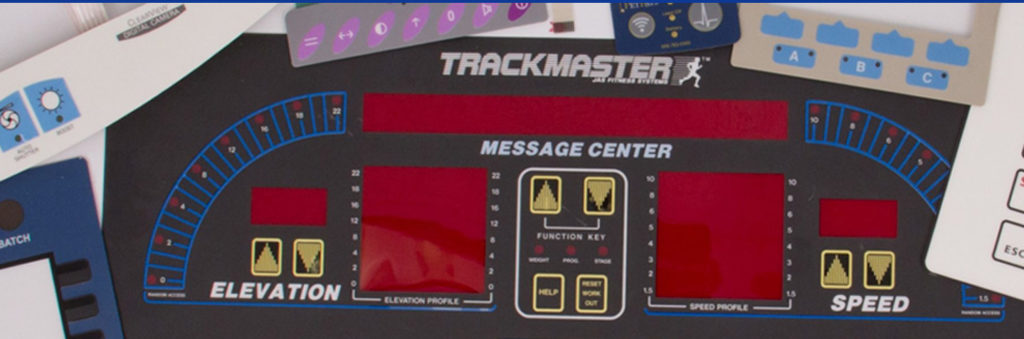
The graphic overlay is the visual interface component of a membrane switch assembly, providing the look and feel of the final product. Graphic overlays can be screen printed or digitally printed, based on the desired effects. Digital printing provides some key advantages in the printing of graphic overlays such as a broader range of effects, including photo-quality printing. Textures, embossed areas, transparent windows, backlighting, and dead front or white front images are all considerations in designing the graphic overlay component of a membrane switch assembly.

Tactile Feedback

Tactile feedback plays an increasingly important role in product usability, as tactile feedback options have evolved from the traditional feedback provided by standard keypads to a variety of feedback options with varying actuation force requirements. Tactile feedback can be created with the use of stainless steel domes in the membrane switch assembly. 

EMI/RFI Shielding

Electromagnetic Interference (EMI) and Radio Frequency Interference (RFI) are two terms that are often used interchangeably. EMI and RFI disturbances can both have a serious impact on the functionality of an electronic circuit. EMI/RFI shielding is a process that protects the circuits from this interference from other devices or influences, ensuring the longevity of a device by reducing interference through the use of magnetic or conductive materials that block the field.

Designing a Waterproof (IP67) Membrane Switch

Designing a Waterproof (IP67) Membrane Switch

Many customers reach out to CSI Keyboards with a waterproof IP67 requirement for their membrane switch or user interface. CSI utilizes a few different design techniques in order to waterproof a membrane switch which include utilizing a frame seal gasket, the use of copper flex circuitry, and the use of high performance adhesives. There are other methods and ways of waterproofing that can also be integrated into the design, but the frame seal, the type of circuitry and the adhesive used are the foundation to ensuring that your keypad is environmentally sealed. 

Frame Seal Gasket:
 

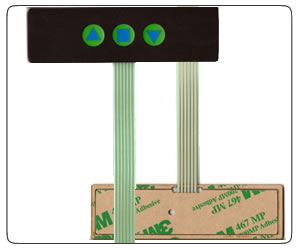
The Achilles heel for membrane switch sealing is most always the flex tail breakout area. The tail typically breaks out of the rear of the switch and because the tail is made of the same material as the circuit, a filler piece replaces the ribbon cable shape in the materials of the membrane switch. The gaps on either side of this tail filler is typically where moisture can enter the membrane switch.

A gasket or perimeter seal frame design can solve this problem. A membrane switch with a gasket or perimeter seal does not have a tail filler therefore there is no direct pathway for liquid ingress. CSI Keyboards’ perimeter seal frame switches have proven to be as robust as other sealing methods such as perimeter temperature sealing and can be included in your design at minimal additional cost.


  • Construction Concept: Setting the membrane switch circuit within a frame seal gasket, protecting it from the environment.
 
  • Width & Thickness: The thickness of the membrane switch whereby the switch layer printing thickness also taken into consideration, should flush with the gasket making them even as a whole. One whose height is greater than the gasket will budge & cause delamination over time between the product & the interfacing panel, eventually water leakage. The width of the frame seal gasket is also a critical factor dictating the strength of water immerse pressure protection.
 
  • Gasket Adhesive Tape Selection: Not neglecting the gasket, industrial closed cell foam carrier tapes are among the options providing superb adhesion strength.
 
  • Enhancement: For an even more stringent environmental requirement, the conductive printed PET can be substituted with a double-sided through-hole, single conductive print design where the insulator between the two conductive print is the substrate itself, posing an advantage over the insulating dielectric print depreciation between conductive prints of a single sided design when functioning in a high humidity environment.

Copper Flex Circuitry:

CSI Keyboards uses copper flex circuitry in the majority of our custom keypad designs due to its excellent dielectric strength, thermal stability, chemical resistance and flexibility. Copper flex, also known as Kapton circuits, have become the superior choice over printed silver especially for outdoor applications. 

A printed silver circuit can be replaced with a copper and polyimide construction with minimal additional cost. Copper flex circuitry construction designs offer a significant advantage over printed silver. Additional information on the benefits of copper flex circuity can be found here: Benefits of Using Copper Flex Circuitry vs. Printed Silver.

Copper Flex membrane switch panels are produced using polyimide (Kapton) as the base material. Copper flex keypad switches are manufactured by laminating a thin sheet of copper to a flexible film substrate. The copper is then chemically etched away, leaving the copper traces. An additional layer of polyimide is laminated to the circuit leaving the gold contacts exposed.